Overleaf Community Edition enhanced with all Pro features
(open source, free to use, self-hostable).
Write like a rocket scientist with Overleaf Pro
— unlock all Features, an on-Premise solution that anyone can use.
| Cover image | ||||
|---|---|---|---|---|
:clone: | Template System | Publish your \LaTeX template to your members. | /files/2xGE6nI4tgknlDppAW4e | |
:server: | Sandbox Compile | Compile your project in Docker with isolation and any TeXLive version. | /files/sOu2jLoCUgXM4ulJvWlf | |
:git-alt: | Git Intergration | Synchronized your project with GitHub or GitLab. | /files/414UfnBl5PM7bhpjBOef | |
:pi: | Symbol Palette | Input your LaTeX symbol easily and more quickly. | /files/Q8NcIgvCqJQaaXX7WW3g | |
:user: | User Management | Manage your team and users with admin panel. | /files/gVq2mFPXdUCk5Q4GHL5S | |
:message-pen: | Review Panel | Discuss with your instructor and comments on your thesis. | /files/s2LVRditseBr6nlD7t6g | |
:user-key: | SSO Support | Connect with OAuth SAML or LDAP provider. | /files/kXulmHAD6W0uUVqWzwao | |
:table-cells-rows: | Self Register | Regiser quickly with email and password. | /files/DUsCWtpqSvoBHe4WS41q | |
:server: | ARM Supported | Run your overleaf with Mac mini or arm server. | /files/eCVeQdh5Pv41J4c5XyOq | |
:github: | GitHub 2-way Sync | Coming Soon. | /files/ropl85RJXE7fJUzg89ba |
Go Overleaf OfficialLearn LaTeX
{% endcolumn %} {% endcolumns %} {% columns %} {% column width="50%" valign="middle" %} ### :people-group: Write your best work, together Say goodbye to endless rounds of email feedback. * Access from anywhere, on any device * Document sharing * Simultaneous editing and commenting * Real-time track changes * Project history and version control {% endcolumn %} {% column width="50%" %}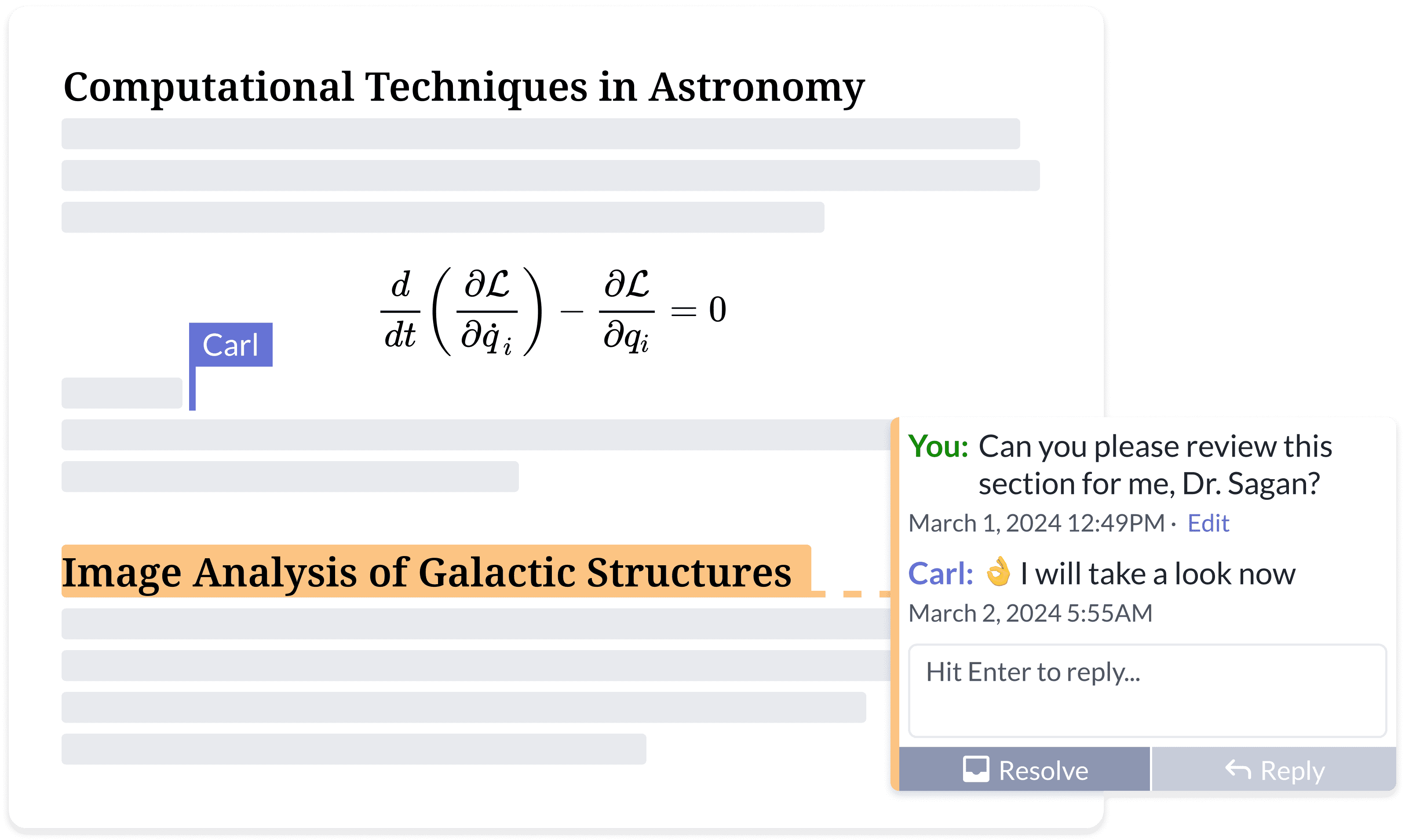
\documentclass{article}

\title{An Awesome Document}
\author{your name}
\date{\today}

\begin{document}
\maketitle
Start Your contents here...
\section{Introduction}
Start Your introduction here...

\end{document}