> For the complete documentation index, see [llms.txt](https://overleaf-pro.ayaka.space/llms.txt). Markdown versions of documentation pages are available by appending `.md` to page URLs; this page is available as [Markdown](https://overleaf-pro.ayaka.space/home/zh-tw/home.md).

# 首頁

<h3 align="center"><mark style="color:紫色;">\begin</mark> <mark style="color:$info;"><strong>{</strong></mark> <mark style="color:$primary;">文件</mark> <mark style="color:$info;"><strong>}</strong></mark></h3>

<h2 align="center">Overleaf Pro 版本</h2>

<p align="center"><mark style="color:$info;">具備所有 Pro 功能的 Overleaf 社群版增強版</mark><br><mark style="color:$info;">（開源、免費使用、可自行架設）。</mark></p>

<p align="center">像火箭科學家一樣使用 Overleaf Pro 撰寫<br>— <em><mark style="color:綠色;"><strong>解鎖所有功能</strong></mark></em>，一個 <em>內部部署</em> 解決方案，讓 <em>任何人</em> 都能使用。</p>

<p align="center"><a href="/spaces/yLFrF2L1FakWXkhqpOnS/pages/W4THeswYLuFORUQh0ou0" class="button primary" data-icon="rocket-launch">開始使用</a>   <a href="/spaces/yLFrF2L1FakWXkhqpOnS/pages/2c77b09820f297feda7d8f3e26f870c4f1ff7e82" class="button secondary" data-icon="book">閱讀文件</a></p>

<p align="center"></p>

<figure><img src="/files/a554778e602bb4f194a736538a58001877ac475b" alt=""><figcaption></figcaption></figure>

### 功能

<table data-view="cards"><thead><tr><th></th><th></th><th></th><th data-hidden data-card-target data-type="content-ref"></th><th data-hidden data-card-cover data-type="image">封面圖片</th></tr></thead><tbody><tr><td><h4><i class="fa-clone">:clone:</i></h4></td><td><a href="/spaces/yLFrF2L1FakWXkhqpOnS/pages/BI1vIvH9Q0DHZ5hNXgEM#features-01-templates-system"><mark style="color:$primary;"><strong>範本系統</strong></mark></a></td><td><mark style="color:$info;">將你的</mark>  <span class="math">\LaTeX</span> <mark style="color:$info;">範本發佈給你的成員。</mark></td><td></td><td data-object-fit="fill"><a href="/files/02ac23b12698e52ed40fa2f236b15cb6fb5150de">/files/02ac23b12698e52ed40fa2f236b15cb6fb5150de</a></td></tr><tr><td><h4><i class="fa-server">:server:</i> </h4></td><td><a href="/spaces/yLFrF2L1FakWXkhqpOnS/pages/BI1vIvH9Q0DHZ5hNXgEM#features-02-sandbox-compile"><mark style="color:$primary;"><strong>沙盒編譯</strong></mark></a></td><td><mark style="color:$info;">在具備隔離機制的 Docker 中，以任何 TeXLive 版本編譯你的專案。</mark></td><td></td><td data-object-fit="contain"><a href="/files/352855a9ad3e4dfbbb841544724c379db80d534a">/files/352855a9ad3e4dfbbb841544724c379db80d534a</a></td></tr><tr><td><h4><i class="fa-git-alt">:git-alt:</i></h4></td><td><a href="/spaces/yLFrF2L1FakWXkhqpOnS/pages/BI1vIvH9Q0DHZ5hNXgEM#features-03-git-intergration"><mark style="color:$primary;"><strong>Git 整合</strong></mark></a></td><td><mark style="color:$info;">將你的專案與 GitHub 或 GitLab 同步。</mark></td><td></td><td data-object-fit="fill"><a href="/files/79826bab502f422ba42c239e6b9143408fdcdb7e">/files/79826bab502f422ba42c239e6b9143408fdcdb7e</a></td></tr><tr><td><h4><i class="fa-pi">:pi:</i></h4></td><td><a href="/spaces/yLFrF2L1FakWXkhqpOnS/pages/BI1vIvH9Q0DHZ5hNXgEM#features-04-symbol-palette"><mark style="color:$primary;"><strong>符號</strong></mark> <mark style="color:$primary;"><strong>調色盤</strong></mark></a></td><td><mark style="color:$info;">更輕鬆、更快速地輸入你的 LaTeX 符號。</mark></td><td></td><td><a href="/files/c790e00813c39da9c24869113896e7264e0234ab">/files/c790e00813c39da9c24869113896e7264e0234ab</a></td></tr><tr><td><h4><i class="fa-user">:user:</i> </h4></td><td><a href="/spaces/yLFrF2L1FakWXkhqpOnS/pages/BI1vIvH9Q0DHZ5hNXgEM#features-05-admin-panel"><mark style="color:$primary;"><strong>使用者管理</strong></mark></a></td><td><mark style="color:$info;">透過管理面板管理你的團隊與使用者。</mark></td><td></td><td><a href="/files/2cf1b3b87077ff42059664083243b94cccb13e84">/files/2cf1b3b87077ff42059664083243b94cccb13e84</a></td></tr><tr><td><h4><i class="fa-message-pen">:message-pen:</i> </h4></td><td><a href="/spaces/yLFrF2L1FakWXkhqpOnS/pages/BI1vIvH9Q0DHZ5hNXgEM#features-06-review-panel"><mark style="color:$primary;"><strong>審閱面板</strong></mark></a></td><td><mark style="color:$info;">與你的指導老師討論並對你的論文留言。</mark></td><td></td><td data-object-fit="fill"><a href="/files/abde1d4620fa44b6ed6112d6acc20bf1df358df8">/files/abde1d4620fa44b6ed6112d6acc20bf1df358df8</a></td></tr><tr><td><h4><i class="fa-user-key">:user-key:</i></h4></td><td><a href="/spaces/yLFrF2L1FakWXkhqpOnS/pages/BI1vIvH9Q0DHZ5hNXgEM#features-08-sso"><mark style="color:$primary;"><strong>支援 SSO</strong></mark></a></td><td><mark style="color:$info;">連接 OAuth、SAML 或 LDAP 提供者。</mark></td><td></td><td data-object-fit="fill"><a href="/files/4d2310cc5dda5232539676c629254539398e01ee">/files/4d2310cc5dda5232539676c629254539398e01ee</a></td></tr><tr><td><h4><i class="fa-table-cells-rows">:table-cells-rows:</i></h4></td><td><a href="/spaces/yLFrF2L1FakWXkhqpOnS/pages/BI1vIvH9Q0DHZ5hNXgEM#features-10-self-registeration"><mark style="color:$primary;"><strong>自行註冊</strong></mark></a></td><td><mark style="color:$info;">使用電子郵件與密碼快速註冊。</mark></td><td></td><td data-object-fit="contain"><a href="/files/dddfb4b4686a8badcb90488909d2d7a5b36cd2f6">/files/dddfb4b4686a8badcb90488909d2d7a5b36cd2f6</a></td></tr><tr><td><h4><i class="fa-server">:server:</i></h4></td><td><a href="/spaces/yLFrF2L1FakWXkhqpOnS/pages/BI1vIvH9Q0DHZ5hNXgEM#features-09-arm-supported"><mark style="color:$primary;"><strong>支援 ARM</strong></mark></a></td><td><mark style="color:$info;">在 Mac mini 或 ARM 伺服器上執行你的 Overleaf。</mark></td><td></td><td data-object-fit="contain"><a href="/files/717d05142114986e49104a586d72f40d9438cb69">/files/717d05142114986e49104a586d72f40d9438cb69</a></td></tr><tr><td><h4><i class="fa-github">:github:</i></h4></td><td><mark style="color:$primary;"><strong>GitHub 雙向同步</strong></mark></td><td><mark style="color:$info;">即將推出。</mark></td><td></td><td data-object-fit="contain"><a href="/files/7e1caaeacee941eecb0c33c3b85118d6e54388ef">/files/7e1caaeacee941eecb0c33c3b85118d6e54388ef</a></td></tr></tbody></table>

{% columns %}
{% column width="50%" %}
{% embed url="<https://files.gitbook.com/v0/b/gitbook-x-prod.appspot.com/o/spaces%2FvnT8IAADTAThJZZpvM7Q%2Fuploads%2FfCJEXeyRbeQLodXhHrxD%2FQQ20260326-173245.mp4?alt=media&token=86111cae-293e-4ba7-9fc5-ee63500a0f85>" %}
{% endcolumn %}

{% column width="50%" %}

### <i class="fa-rocket-launch">:rocket-launch:</i> 享受 AI $$\LaTeX$$ 編輯器

* 與 AI 代理聊天
* 使用 Chat GPT 或任何 LLM 重新表述
* 即將提供......
  {% endcolumn %}
  {% endcolumns %}

{% columns %}
{% column width="50%" %}

### <i class="fa-github">:github:</i>  5 分鐘內取得內部部署

設定你自己的 Ovlereaf Pro 與你的線上 $$\LaTeX$$ 環境，透過 **GitHub Codespace** 立即！

你不需要任何 Linux 或伺服器管理技能，只要 <mark style="color:$primary;">**一鍵部署**</mark> 在 GitHub 上！

***

<a href="https://github.com/ayaka-notes/overleaf" class="button primary" data-icon="server">在 GitHub 上開始</a> <a href="/spaces/yLFrF2L1FakWXkhqpOnS/pages/BPDTeZRT94TV3fTkvysz" class="button secondary" data-icon="terminal">手動部署</a>
{% endcolumn %}

{% column width="50%" %}
{% code title="init.sh" %}

```bash
#/bin/bash
# 1. 安裝你的 Docker 環境
sudo apt-get install docker

# 2. 複製 Overleaf Toolkit
cd toolkit && bin/init

# 3. 設定你的 Overleaf

# 4. 完成你的安裝
# ...
```

{% endcode %}
{% endcolumn %}
{% endcolumns %}

{% columns %}
{% column width="41.66666666666667%" %}
{% embed url="<https://files.gitbook.com/v0/b/gitbook-x-prod.appspot.com/o/spaces%2FvnT8IAADTAThJZZpvM7Q%2Fuploads%2FMVJjuRaBQnhqbqkw8YpL%2Fvisual-editor.mp4?alt=media&token=13e11fa4-e682-460f-9555-ad9b419fe953>" %}
{% endcolumn %}

{% column width="58.33333333333333%" %}

### <i class="fa-globe">:globe:</i>  享受線上版 $$\LaTeX$$ 編輯器

無需下載、無需設定，也無需了解 $$\LaTeX$$ 即可開始之前。

* 視覺編輯器與程式碼編輯器
* 數千個免費範本
* 詳細指引與 LaTeX 學習
* 來自真實 TeX 專家的卓越支援

<p align="right"><a href="https://www.overleaf.com/" class="button primary" data-icon="leaf">前往 Overleaf 官方</a><a href="https://www.overleaf.com/learn" class="button secondary" data-icon="book-open">學習 LaTeX</a></p>
{% endcolumn %}
{% endcolumns %}

{% columns %}
{% column width="50%" valign="middle" %}

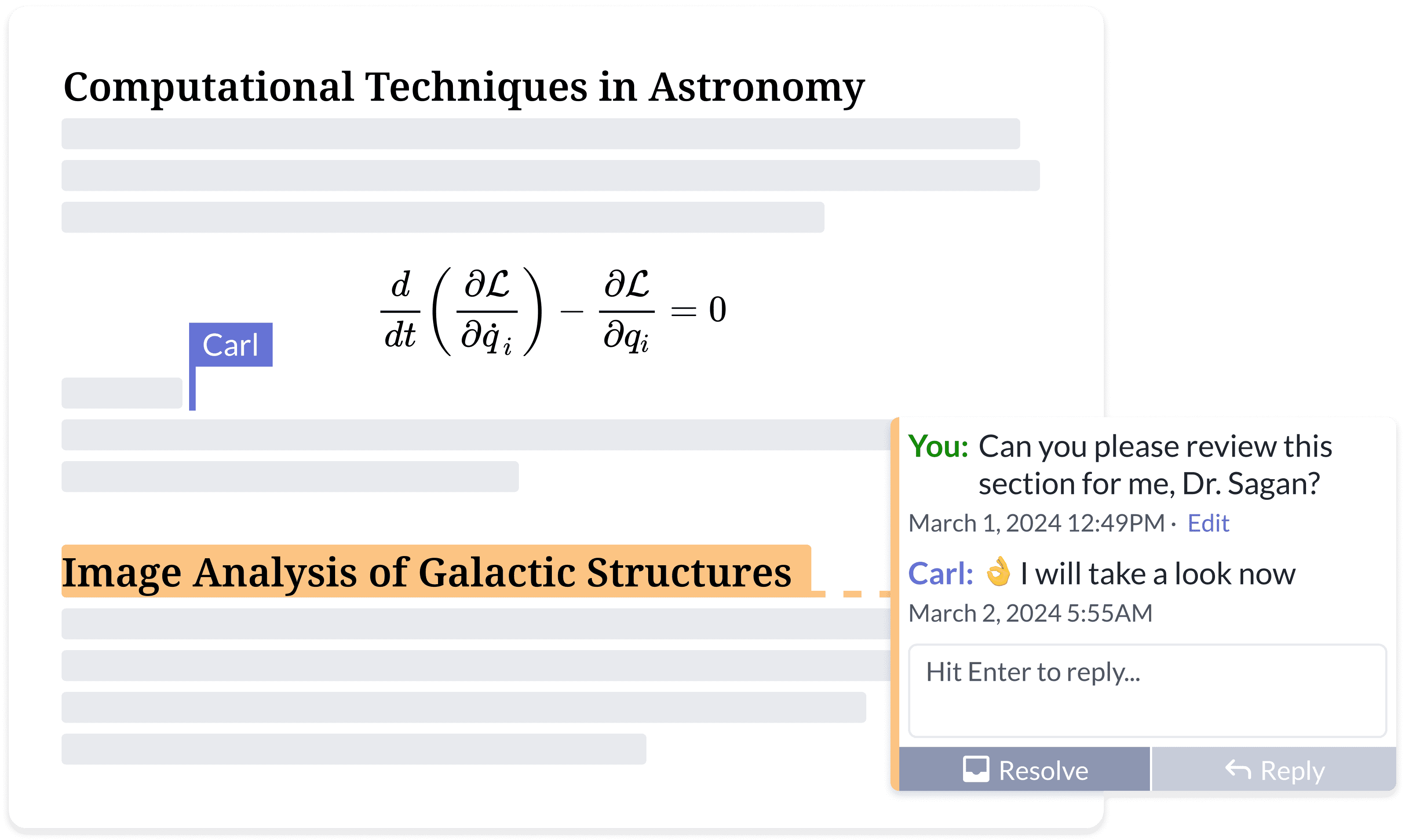
### <i class="fa-people-group">:people-group:</i> 一起寫出你最好的作品

向無止盡的電子郵件回饋說再見。

* 可從任何地方、任何裝置存取
* 文件分享
* 同步編輯與評論
* 即時追蹤變更
* 專案歷史與版本控制
  {% endcolumn %}

{% column width="50%" %}

<figure><img src="https://cdn.overleaf.com/img/website-redesign/commenting.png" alt=""><figcaption></figcaption></figure>

{% endcolumn %}
{% endcolumns %}

{% columns %}
{% column width="50%" %}

<div align="left" data-with-frame="true"><figure><img src="/files/ca3efea2ff38f048b3fa48c0e8632a6bcf799194" alt="" width="563"><figcaption></figcaption></figure></div>
{% endcolumn %}

{% column width="50%" %}

### <i class="fa-file-code">:file-code:</i> 閱讀社群提供的 overleaf 開發者文件，了解更多。

線上可用的 Overleaf `開發者` 資源並不多。

在這裡你可以找到 Overleaf 的大部分架構與開發者工具，還有一些除錯技巧。

<p align="right"><a href="/spaces/I2qEfJyb19sFvDmuZcCm" class="button secondary" data-icon="book">開發者文件</a> </p>
{% endcolumn %}
{% endcolumns %}

{% columns %}
{% column width="50%" %}

### <i class="fa-docker">:docker:</i> $$\TeX$$ 由 @Ayaka-Notes 建置的 Docker 即時版

Overleaf 使用 <mark style="color:藍色;">**Docker**</mark> 容器來編譯你的 $$\LaTeX$$ 專案。你的專案會在隔離的 Docker 沙盒中編譯，確保絕對 <mark style="color:綠色;">**安全性**</mark>.

因此，我們提供一個 $$\TeX$$ Live 映像（從 2019 到最新），可自由切換版本，並包含所有字型與 $$\LaTeX$$ 套件。

<a href="/spaces/0bsEVRuqHiTwccEZfTnf" class="button secondary" data-icon="docker">TeXLive 完整映像</a>&#x20;
{% endcolumn %}

{% column width="50%" %}

<pre class="language-latex" data-title="main.tex" data-line-numbers><code class="lang-latex"><strong>\documentclass{article}
</strong>
\title{一份很棒的文件}
\author{你的名字}
\date{\today}

<strong>\begin{document}
</strong>\maketitle
在這裡開始你的內容...
\section{簡介}
在這裡開始你的簡介...

<strong>\end{document}
</strong></code></pre>

{% endcolumn %}
{% endcolumns %}

{% hint style="info" %}
Overleaf Pro 與 Overleaf, Inc. 或其母公司 Digital Science 無任何關聯。它也不是 *Server Pro* 版本，這是 Overleaf, Inc. 提供的商業產品。Overleaf Pro 是一個由 [ayaka-notes](https://github.com/ayaka-notes).
{% endhint %}


---

# Agent Instructions
This documentation is published with GitBook. GitBook is the documentation platform designed so that both humans and AI agents can read, navigate, and reason over technical content effectively. Learn more at gitbook.com.

## Querying This Documentation
If you need additional information that is not directly available in this page, you can query the documentation dynamically by asking a question.

Perform an HTTP GET request on the current page URL with the `ask` query parameter, and the optional `goal` query parameter:

```
GET https://overleaf-pro.ayaka.space/home/zh-tw/home.md?ask=<question>&goal=<endgoal>
```

`ask` is the immediate question: it should be specific, self-contained, and written in natural language.
`goal` is optional and describes the broader end goal you are ultimately trying to accomplish on behalf of the user. GitBook uses it to tailor the answer towards what is most useful for that goal.

The response will contain a direct answer to the question and relevant excerpts and sources from the documentation.

Use this mechanism when the answer is not explicitly present in the current page, you need clarification or additional context, or you want to retrieve related documentation sections.