code{Minted}

This article shows how to use the minted packagearrow-up-right to format and highlight programming language source code within a LaTeX document, starting with an example:

\documentclass{article}
\usepackage{minted}
\begin{document}
\begin{minted}{python}
import numpy as np
    
def incmatrix(genl1,genl2):
    m = len(genl1)
    n = len(genl2)
    M = None #to become the incidence matrix
    VT = np.zeros((n*m,1), int)  #dummy variable
    
    #compute the bitwise xor matrix
    M1 = bitxormatrix(genl1)
    M2 = np.triu(bitxormatrix(genl2),1) 

    for i in range(m-1):
        for j in range(i+1, m):
            [r,c] = np.where(M2 == M1[i,j])
            for k in range(len(r)):
                VT[(i)*n + r[k]] = 1;
                VT[(i)*n + c[k]] = 1;
                VT[(j)*n + r[k]] = 1;
                VT[(j)*n + c[k]] = 1;
                
                if M is None:
                    M = np.copy(VT)
                else:
                    M = np.concatenate((M, VT), 1)
                
                VT = np.zeros((n*m,1), int)
    
    return M
\end{minted}
\end{document}
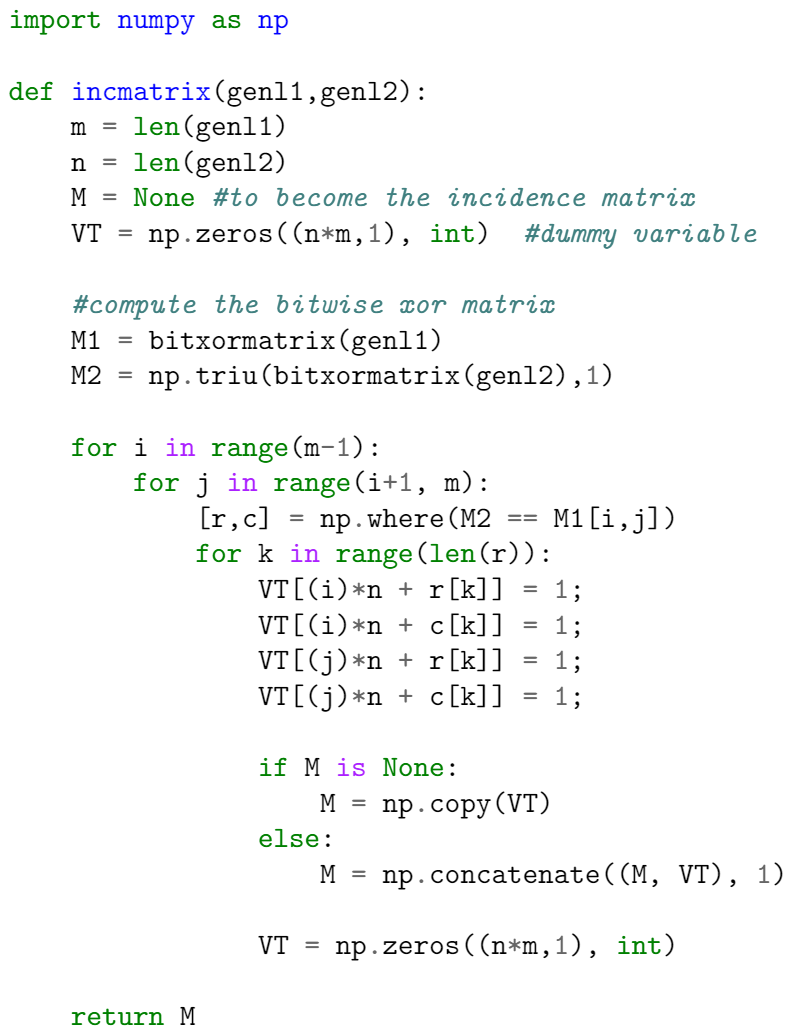
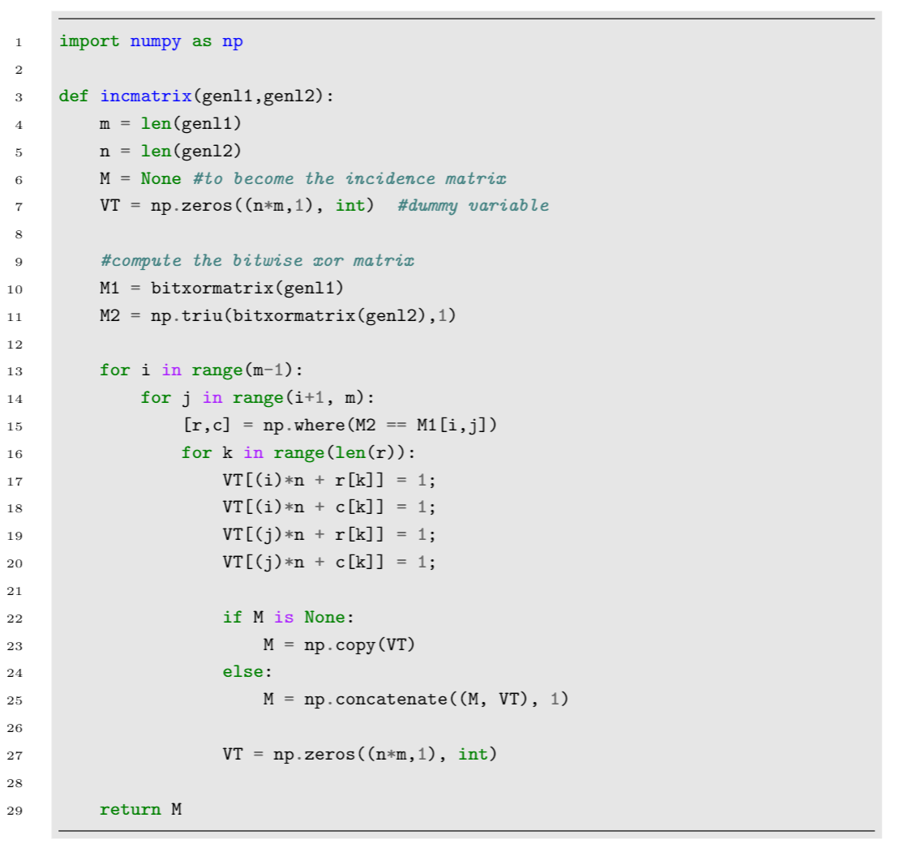
This example produces the following output:

Example displaying the output of the minted package

There are two important commands here. In the preamble the package is imported by writing

then the tags \begin{minted}{python} and \end{minted} delimit an environment that print the text verbatim in monospaced fonts and also apply colour to comments, keywords and functions. The parameter python is the programming language the source code is written in. minted supports over 150 programming and markup languages as well as configuration files, see the reference guidearrow-up-right for a list of supported languages.

Note: For minted to work with your local LaTeX distribution, an additional program called Pygmentsarrow-up-right must be installed. Overleafarrow-up-right can save you the trouble of installing it and having to run special commands to compile your document — on Overleaf, documents that use minted will work "out of the box".

Basic usage

As demonstrated in the following example, the minted environment can be configured to modify visual presentation of the typeset code. Here, the minted environment uses several comma-separated parameters of the form key=value:

This example produces the following output:

Example applying formatting to typeset code produced by the minted package

The parameters used in this example are:

  • frame=lines: draws two lines, one on top and one at the bottom of the code to frame it. Other possible values are leftline, topline, bottomline and single.

  • framesep=2mm: the frame separation is set to 2mm. Other length unitsarrow-up-right can be used.

  • baselinestretch=1.2: the line spacing of the code set to 1.2.

  • bgcolor=LightGray: background colour set to LightGray. You need to import the xcolor package for this to work. See Using colours in LaTeXarrow-up-right to learn more about colour manipulation.

  • fontsize=\footnotesize: font size set to footnotesize. Any other font sizearrow-up-right can be set.

  • linenos: enables line numbers.

Other options that may be useful are:

  • mathescape: enables math mode in code comments.

  • rulecolor: changes the colour of the frame.

  • showspaces: enables a special character to make spaces visible.

Including code from a file

Code is usually stored in a source file, therefore a command which automatically imports code from a file is very convenient, as demonstrated in the following example:

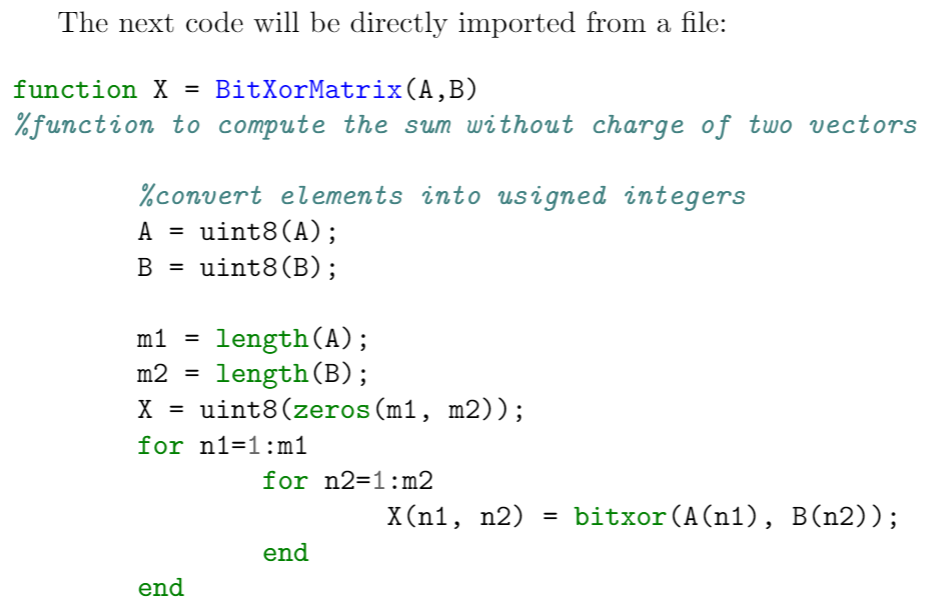
This example produces the following output:

Using minted to import a code file

The command \inputminted{octave}{BitXorMatrix.m} imports the code from the file BitXorMatrix.m, the parameter octave tells LaTeX the programming language of the code. This command can take two extra parameters to import only part of the file; for instance, to import code from the line 2 to the line 12, the command becomes:

One-line code

If you need to input only a line of code, the command \mint, whose syntax is presented in the next example, will do the trick.

This example produces the following output:

One line code example with minted

The parameter between braces sets the programming language (html markup language in this case) with the actual text to be formatted being delimited by the '|' character.

Problems with selfhost Overleaf

If you are using sandbox compile and also an overleaf server to deploy overleaf, minted may not work well. For detaied infomation, you can see: issues/131arrow-up-right. You need to enable arm instruction profile and some system call for minted to work.

Last updated